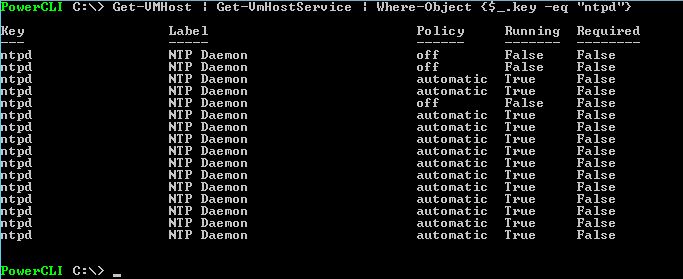
Check NTP Services status
Get-VMHost | Get-VmHostService | Where-Object {$_.key -eq “ntpd”}
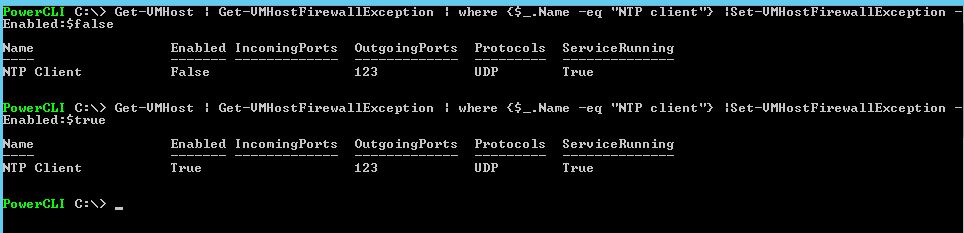
Check Firewall exception configuration
Get-VMHost | Get-VMHostFirewallException | where {$_.Name -eq “NTP client”}

Enable the FirewallException to all ESXi Hosts
Get-VMHost | Get-VMHostFirewallException | where {$_.Name -eq “NTP client”} |Set-VMHostFirewallException -Enabled:$true
Disable the FirewallException to all ESXi Hosts
Get-VMHost | Get-VMHostFirewallException | where {$_.Name -eq “NTP client”} |Set-VMHostFirewallException -Enabled:$false
Start the NTP service on all ESXi nodes
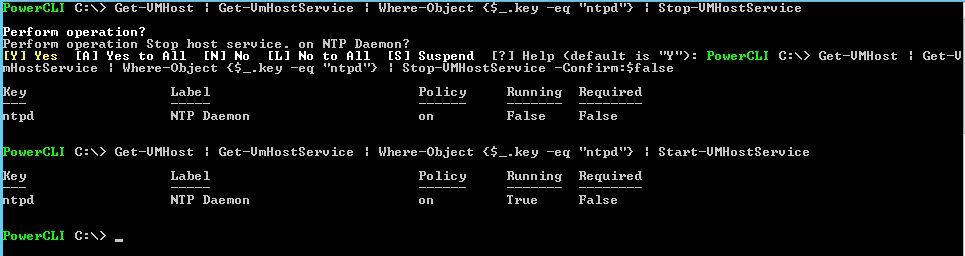
Get-VMHost | Get-VmHostService | Where-Object {$_.key -eq “ntpd”} | Start-VMHostService
Stop the NTP service on all ESXi nodes
Get-VMHost | Get-VmHostService | Where-Object {$_.key -eq “ntpd”} | Stop-VMHostService ( use ” -Confirm:$false to avaoid the the popoup quetion abut confimration )
Add the NTP servers to all ESXI Hosts
Get-VMHost | Add-VMHostNtpServer 192.168.1.1o,192.168.1.11
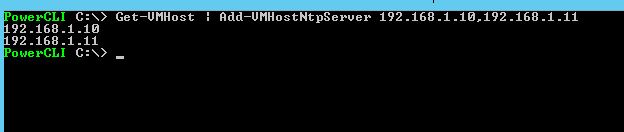
Verify NTP servers added by running below command
Get-vmhost esx1.test.com |Get-VMHostNtpServer

Remove the NTP servers from ESXi Hots
Get-vmhost esx1.test.com |Remove-VMHostNtpServer 192.168.1.10,192,168,1,11 -confirm:$false

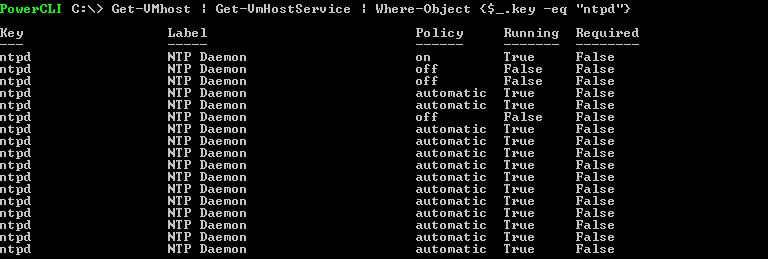
Check the NTP Policy Configured
Get-VMhost | Get-VmHostService | Where-Object {$_.key -eq “ntpd”}
Configure the NTP Policy
Get-VMhost | Get-VmHostService | Where-Object {$_.key -eq “ntpd”} | Set-VMHostService -policy “automatic”
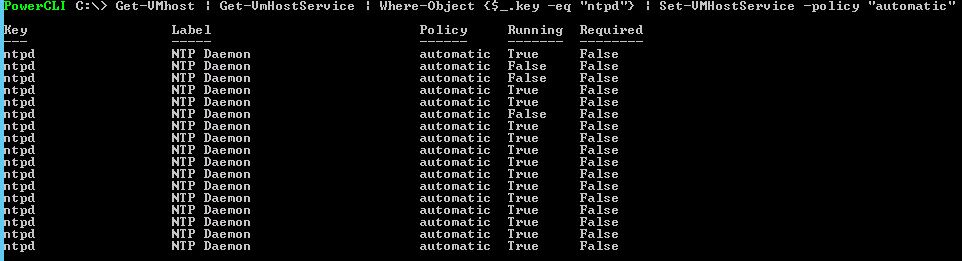
Note:– Get-VMhost “ESXIHOSTNAME” , if you use this you can apply these setting only to that HOST